
- Published on
Common CGM Application Mistakes to Avoid
Common CGM Application Mistakes to Avoid
Have you ever pressed your Continuous Glucose Monitor (CGM) sensor into place, only to have it peel off two days later or provide erratic, inconsistent readings? You aren’t alone. For many people managing diabetes, the CGM is a life-changing tool, but it can also be a source of frustration when application errors interfere with the data you rely on.
Understanding how to apply your sensor correctly is the difference between seamless monitoring and constant troubleshooting. Whether you are new to using a CGM or looking to refine your technique to get the most out of your device, avoiding these common application mistakes will help you achieve more stable, reliable results.
Why Application Technique Matters
Your CGM relies on a tiny filament inserted just beneath your skin to measure glucose levels in your interstitial fluid (the fluid surrounding your cells). If the sensor isn't applied correctly, the device may struggle to get an accurate reading, or the adhesive may fail prematurely.
Proper application ensures that the sensor remains stable, comfortable, and accurate for the full duration of its wear time. By taking a few extra moments during the setup process, you can save yourself the headache of "sensor errors," calibration issues, and the need for premature replacements.
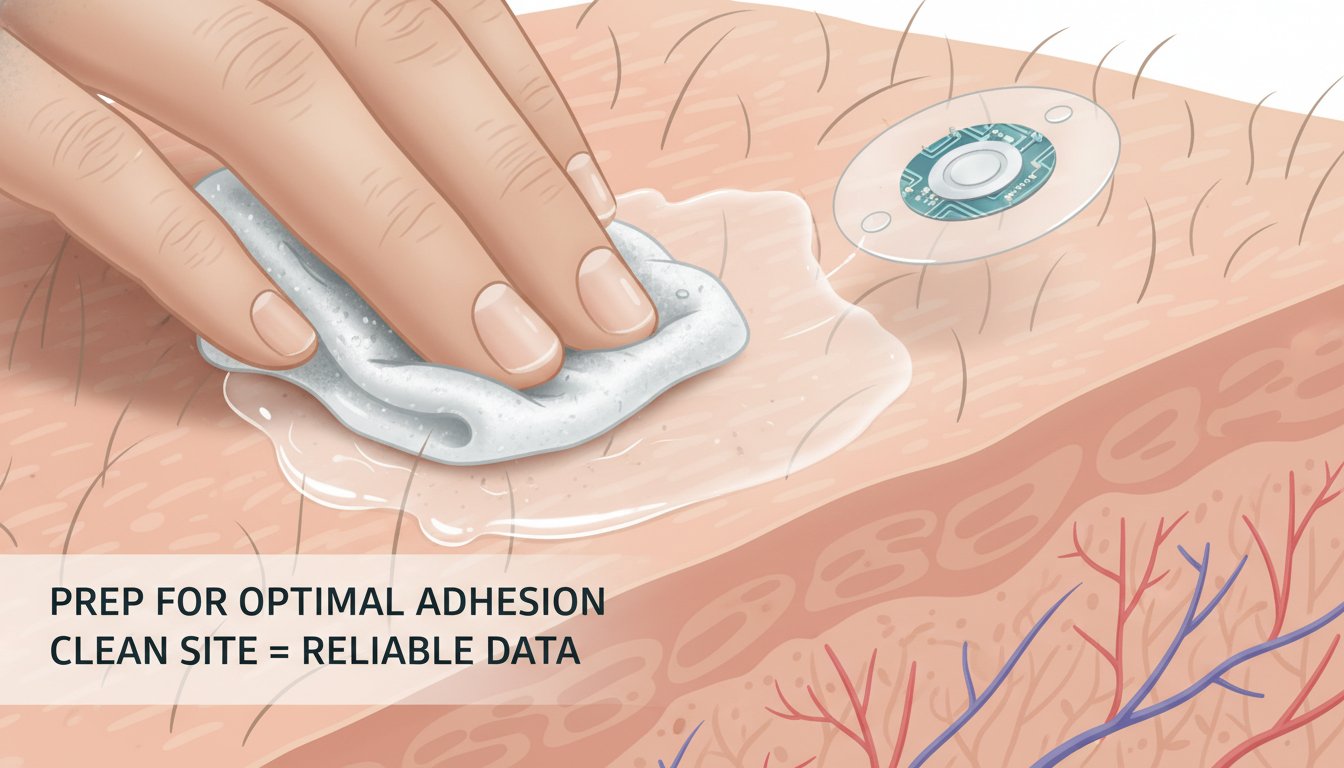
1. Skipping the Skin Preparation Step
One of the most frequent mistakes users make is failing to prepare the skin adequately. Oils, lotions, and sweat act as a barrier between your skin and the sensor’s adhesive, which is often the primary reason for early detachment.
How to do it right:
- Clean the area: Wash the application site with mild, fragrance-free soap and water. Avoid soaps that contain heavy moisturizers or oils.
- Use an alcohol wipe: After washing, clean the area thoroughly with an alcohol swab. This removes any remaining surface oils.
- Let it dry completely: This is the most overlooked step. Do not rush to apply the sensor while the skin is still damp from the alcohol. Wait until it is bone-dry to ensure maximum adhesion.
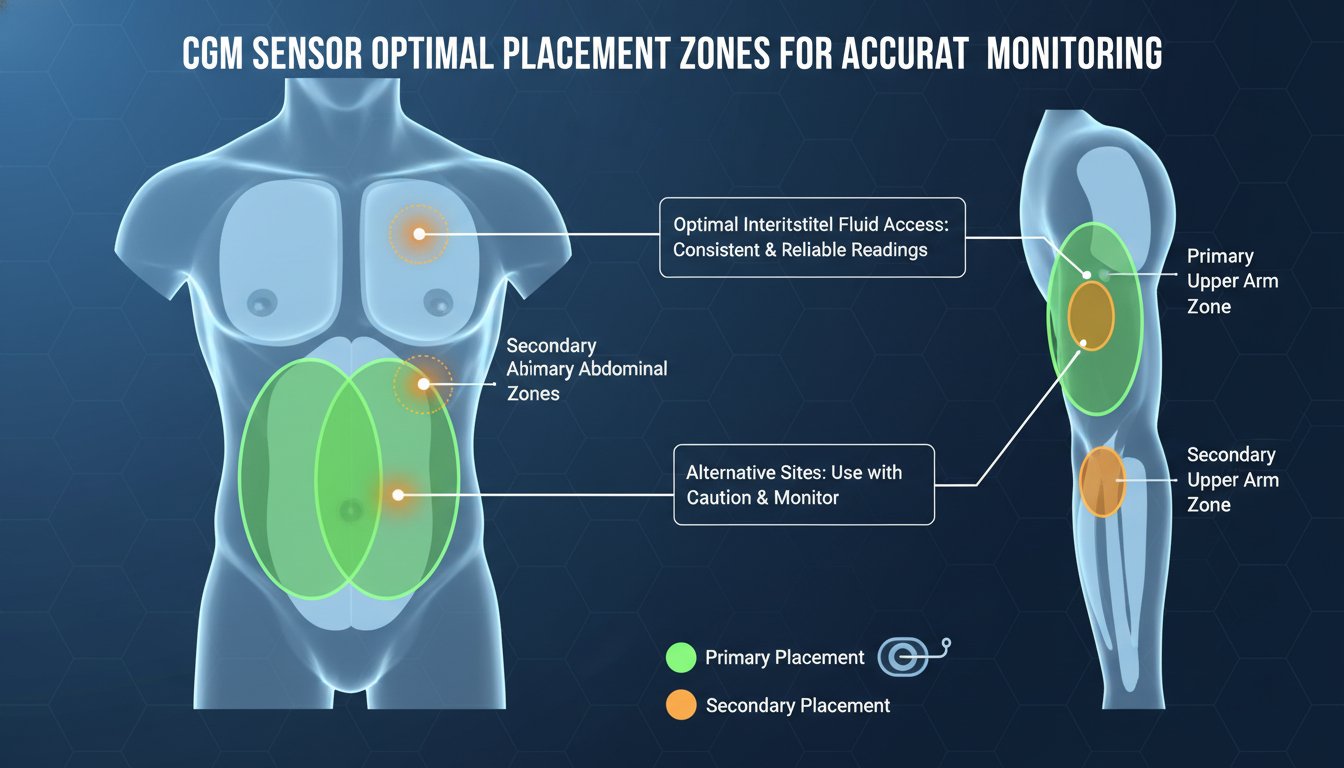
2. Choosing the Wrong Placement Site
Not all skin is created equal when it comes to CGM sensors. Many users default to the same spot every time, or they choose areas where the skin is too tight or where there is too much movement.
The ideal site:
- Look for fatty tissue: The sensor needs to be inserted into a layer of subcutaneous fat to provide accurate readings. Avoid areas with a lot of muscle or where the skin is very thin.
- Avoid high-friction zones: If you place your sensor where your clothing rubs against it frequently (like near your waistband or bra line), it is much more likely to peel off.
- Rotate, rotate, rotate: If you use the same spot repeatedly, you may develop scar tissue, which can interfere with sensor accuracy. If you’re interested in learning more about how your body responds to different monitoring sites, check out our beginner’s guide to interpreting CGM data.
3. Applying Pressure During Insertion
When using the applicator, it can be tempting to press down firmly against your skin. However, pressing too hard can actually cause the skin to bunch up or lead to bruising, which may cause inaccurate readings during the first 24 hours of use.
The fix:
- Keep it gentle: Let the applicator do the work. Hold the device firmly against the skin as instructed, but avoid excessive force.
- Check the orientation: Ensure the applicator is sitting flat against your body. If it’s tilted, the filament might not enter the skin at the correct angle.
4. Ignoring Environmental Factors
Humidity, temperature, and physical activity immediately after application can play a huge role in how well your sensor sticks. If you hit the gym or take a hot shower right after applying a new sensor, you are essentially guaranteeing that the adhesive will struggle to set properly.
Pro tip for better results:
Give your sensor time to "cure." Most manufacturers recommend avoiding heavy sweating, swimming, or hot showers for at least 30 to 60 minutes after application. This allows the medical-grade adhesive to fully bond with your skin.
5. Failing to Use Protective Overlays
Sometimes, even with the perfect technique, your lifestyle can be tough on a sensor. If you are active, play sports, or live in a humid climate, your sensor might need a little extra support to stay in place.
The solution:
Consider using an over-patch or medical-grade adhesive tape. These patches go over the top of your sensor to keep the edges from lifting. If you find that your numbers are fluctuating unexpectedly, it might be due to the sensor shifting slightly, which is why a secure fit is so important for tracking your Time in Range (the percentage of time your blood sugar stays within your target range). To learn more about why this metric is crucial, read our guide on understanding Time in Range.
Troubleshooting Common Issues
Even with the best preparation, things don't always go according to plan. Here is how to handle the most common hiccups:
Issue: The sensor is peeling at the edges
Solution: Do not rip it off! Use a medical-grade skin adhesive or an over-patch to secure the edges. Keeping the sensor flat is key to preventing moisture from getting underneath.
Issue: The sensor is providing "Low" readings immediately
Solution: This is often a "compression low," which happens when the sensor is pressed against your body while you sleep or move. If it persists, wait a few hours. If the readings continue to be wildly inaccurate compared to a finger-stick test, please consult your doctor or the manufacturer's support line for a replacement.
Results You Can Expect
When you master the application process, you’ll notice a significant improvement in your data quality. You will experience fewer "sensor error" alerts, longer wear times, and, most importantly, more reliable numbers to help you make informed decisions about your health.
Consistency is the secret to diabetes management. When your data is accurate, you can confidently identify patterns in your glucose levels, such as how specific meals or stress levels impact your metabolic health.
Next Steps for Better Management
Once you have mastered your application technique, the next step is to make sense of the data you are collecting. Using a glucose tracking app, like GlucoAI, allows you to log your meals, activity, and sleep alongside your CGM data. By seeing these variables side-by-side, you can begin to see the "why" behind your blood sugar trends, rather than just the numbers themselves.
Start by focusing on one of these areas today:
- Refine your prep: Buy the right soap and alcohol pads for your next change.
- Rotate your sites: Keep a log of where you place your sensor to ensure you are giving your skin enough time to recover.
- Track the trends: Use an app to correlate your glucose data with your daily habits.
Summary
Applying a CGM doesn't have to be a source of stress. By focusing on proper skin preparation, choosing the right site, and giving the adhesive time to set, you can ensure that your device stays secure and provides accurate readings.
Remember, these devices are powerful tools for your metabolic health, but they work best when they are well-maintained. If you ever feel like your readings are consistently off, or if you are having trouble with skin irritation, please consult your doctor.
With a few small adjustments, you can spend less time troubleshooting your technology and more time focusing on what really matters: living a healthy, balanced life. If you're ready to take control of your metabolic data, download GlucoAI today to start turning your glucose numbers into actionable insights.
GlucoAI — Smart Blood Sugar Monitor
Track, analyze, and optimize your glucose levels with AI-powered insights.