
- Published on
Overcoming CGM Alarm Fatigue: Tips for Peace of Mind
Have you ever found yourself jumping at the sound of a high-pitched beep in the middle of a grocery store, only to realize it was your Continuous Glucose Monitor (CGM) telling you that your blood sugar is at 181 mg/dL? Or perhaps you’ve been jolted awake at 3:00 AM by an alarm, your heart racing, only to find that your levels are actually stable and it was just a "compression low" from sleeping on your sensor. If these scenarios sound familiar, you aren’t alone. You are likely experiencing "alarm fatigue," a very real and exhausting phenomenon that affects many people living with diabetes or those using glucose monitoring technology to optimize their metabolic health.
While CGM technology is undoubtedly one of the most significant advancements in modern health management, the constant stream of data can be a double-edged sword. On one hand, you have life-saving information at your fingertips; on the other, you have a device that occasionally feels like a demanding toddler, constantly crying for your attention. Managing this digital noise is essential not just for your mental peace, but for the long-term success of your glucose management journey. If the alarms become too much, there is a risk you might start ignoring them altogether—and that is when safety issues can arise.
Understanding the Burden of Alarm Fatigue
Alarm fatigue occurs when you are exposed to a high volume of frequent alerts, leading to sensory overload. Over time, your brain begins to desensitize itself to the sound. What was once a critical warning becomes "background noise." In a clinical setting, doctors and nurses deal with this daily, but for an individual managing their own health, the stakes feel incredibly personal. When your CGM alarms too often, you may experience increased anxiety, sleep deprivation, and a sense of "diabetes burnout."
The danger of alarm fatigue isn't just the annoyance; it’s the behavioral shift it causes. When we are overwhelmed by alerts, we are more likely to silence the device, widen our target ranges to unreasonable levels, or even stop wearing the sensor entirely. This defeats the purpose of having a CGM, which is to provide a safety net and actionable insights. To regain control, we need to move from being "reactive" to the noise to being "proactive" with our settings.
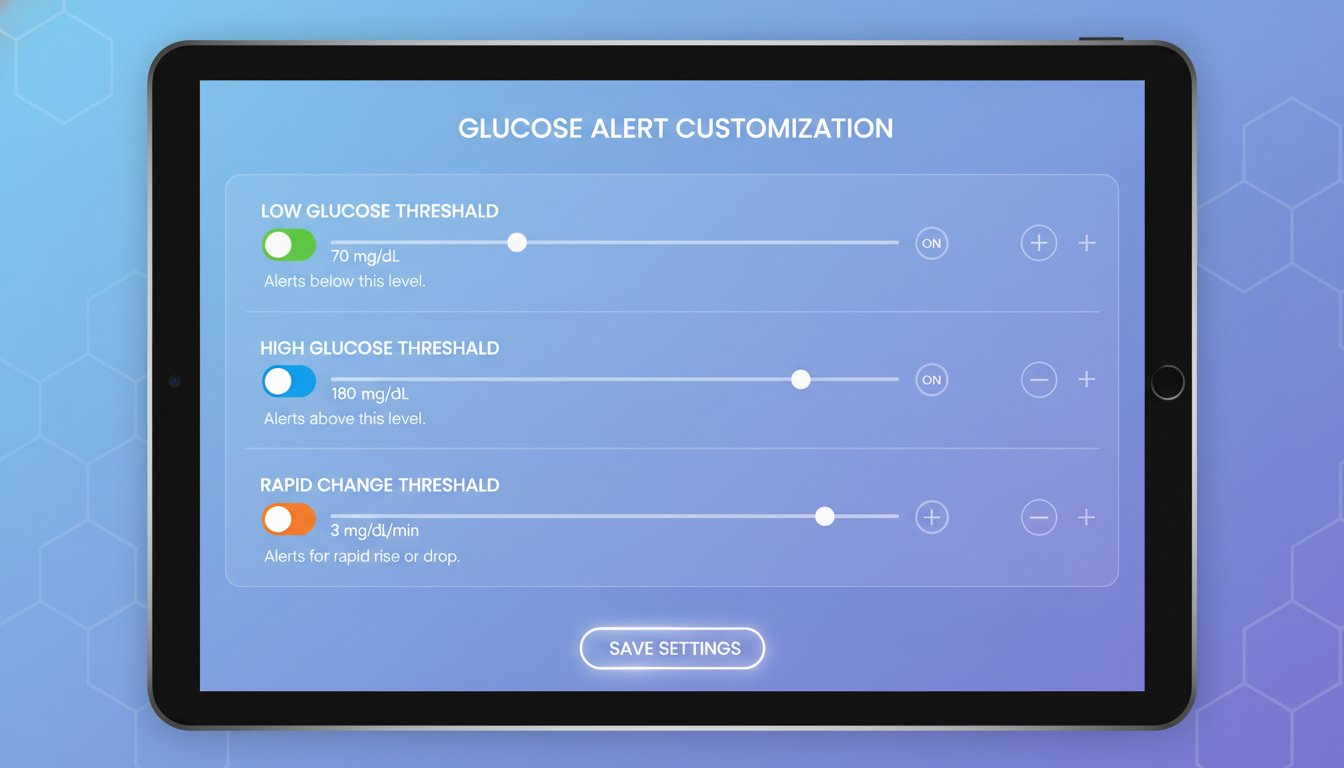
Step 1: Customize Your Thresholds with Intention
Most CGM devices come with "factory default" settings, often alerting you if your blood sugar goes above 180 mg/dL or below 70 mg/dL. While these are standard clinical guidelines, they may not be the right starting point for your current lifestyle or health goals. If you are constantly hovering around 185 mg/dL after a meal, an alarm set at 180 mg/dL will be relentless.
Start Where You Are, Not Where You Want to Be
If you are currently working on bringing your A1C (average blood sugar level over three months) down, setting a very tight high-alert threshold can be counterproductive. If your average post-meal glucose is 200 mg/dL, setting an alarm for 140 mg/dL will result in a beep every single time you eat. This leads to frustration, not better health.
The Strategy: Set your high alert slightly above your current average post-meal peak. As your metabolic health improves and your peaks get lower, you can gradually "tighten" the threshold. This approach rewards progress rather than punishing your current reality. Always consult your doctor before making significant changes to your alert settings, especially your low-glucose thresholds.
Prioritize the Lows
Low blood sugar (hypoglycemia) is generally more immediately dangerous than a temporary high. Keep your low alerts at a level that gives you enough time to treat the drop before it becomes an emergency. For many, 70 mg/dL or 80 mg/dL is the sweet spot. By keeping the low alert priority high and the high alert threshold more flexible, you reduce the total number of "non-emergency" beeps.
Step 2: Master the "Snooze" and Repeat Functions
One of the biggest contributors to alarm fatigue is the "repeat" alarm. You hear the beep, you see that you are at 210 mg/dL, and you take the necessary steps (like going for a walk or taking a correction dose of insulin). However, 15 minutes later, the device beeps again. You know you’re high, and you’ve already acted, but the device doesn't know that yet.
Understanding Lag Time
Glucose levels don't change instantly. If you take action to lower your blood sugar, it may take 30 to 90 minutes for the results to show up on your CGM. If your "High Repeat" alarm is set to 15 or 30 minutes, you are essentially being nagged for a problem you are already solving.
The Strategy: Adjust your "Repeat" settings to match the physiological reality of your body. If you know it takes an hour for a walk to impact your numbers, set your high-alert repeat to 60 minutes. This gives your body time to respond to your intervention without the device pestering you in the meantime.
Step 3: Protecting Your Sleep
Nighttime alarms are the leading cause of CGM-related stress. Sleep is foundational for metabolic health; ironically, the very device meant to help your metabolism can sometimes ruin it by causing chronic sleep deprivation.
The Mystery of the Compression Low
A common frustration is the "compression low." This happens when physical pressure is put on the sensor (like rolling over onto your arm in your sleep), pushing the interstitial fluid away from the filament. The sensor reads this as a rapid drop in glucose, triggering a loud, urgent low alarm. You wake up, check your fingerstick, and find you are perfectly fine at 100 mg/dL.

The Strategy:
- Placement Matters: Experiment with sensor placement to find areas where you are less likely to lay on the device.
- Use Trend Arrows: Before you panic at a 3:00 AM alarm, look at the trend arrow. A compression low usually looks like a straight vertical drop out of nowhere, whereas a real low is typically a more gradual curve.
- Night-Specific Settings: Many modern diabetes management tools and glucose tracking apps allow you to set different alert profiles for nighttime. You might choose to set your high alert higher during sleep (e.g., 220 mg/dL instead of 180 mg/dL) to ensure you only wake up for significant issues.
Step 4: Use Trend Arrows Instead of Just Numbers
A number in isolation is just a snapshot. An "150 mg/dL" with a double arrow pointing up is a very different situation than "150 mg/dL" with a steady horizontal arrow. Many users set alarms for a specific number, but the rate of change is often more important.
If you react to every single "high" number, you might end up "rage bolusing" or over-correcting, leading to a roller coaster of highs and lows. By paying attention to the trend arrows, you can decide if an alarm actually requires an immediate response or if you can wait and see if your body levels out on its own.
Step 5: Leverage Technology for Deeper Analysis
The goal of using a CGM and tools like GlucoAI is to gain freedom, not to become a slave to a screen. While the CGM provides the "real-time" data, an app like GlucoAI can help you look at the "big picture."
Instead of stressing over every individual beep during the day, you can use a glucose tracking app to review your patterns at the end of the week. Did you have a lot of high alarms on Tuesday? GlucoAI can help you correlate those alarms with what you ate or how much stress you were under. When you understand the why behind the alarms, they become less scary and more like useful feedback.
Summary: Your Roadmap to Peace of Mind
Managing alarm fatigue is about finding the balance between safety and sanity. You deserve to live a life where your health technology supports you without overwhelming you.
Key Takeaways:
- Audit Your Settings: Move away from default thresholds and set alerts that reflect your current metabolic reality.
- Respect the Lag: Set your "Repeat" alarms to a longer duration (60-90 minutes) to allow your interventions time to work.
- Optimize for Sleep: Use different alert profiles for nighttime to minimize unnecessary wake-ups from minor fluctuations or compression lows.
- Reframe the Noise: View alerts as data points, not failures. They are there to guide you, not judge you.
- Consult the Pros: Always work with your healthcare provider to ensure your alert settings keep you safe while reducing stress.
If you’re feeling overwhelmed by the data, remember that you have tools to help you make sense of it all. By integrating your CGM data with a comprehensive management tool like GlucoAI, you can turn those frantic beeps into a calm, clear plan for better health. Start by picking just one setting to adjust today—perhaps lengthening your high-alert snooze—and see how much quieter your world becomes.
Please consult your doctor or a qualified healthcare professional before changing your glucose target ranges or alarm settings.
Ready to turn your glucose data into actionable insights without the stress? Download GlucoAI today and start mastering your metabolic health with ease.
GlucoAI — Smart Blood Sugar Monitor
Track, analyze, and optimize your glucose levels with AI-powered insights.